ECU diagnostics
Check an ECU's calibration, reset its Digital Electronic Control pairing, and send an ECU read or your computer's flash log to Nizpro.
In this guide
Verify - Full
Verify - Full takes a full read of a detected ECU and compares it against the calibration found when the ECU was detected: its licensed tune for a licensed ECU, or the factory stock calibration for a stock ECU. It confirms the ECU is running exactly that calibration. You'll find it on the Detected ECU panel and in the Tools menu. It only reads: it changes nothing and takes no credit.
Detect the ECU first. See Detecting an ECU.
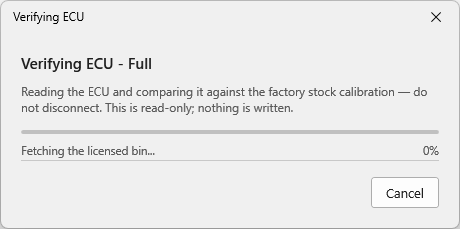
While it runs, Verifying ECU - Full shows its progress. Don't disconnect the programmer or the ECU until it finishes.
There are three outcomes: Passed, Failed, and Unable to verify.
Passed
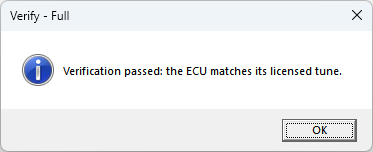
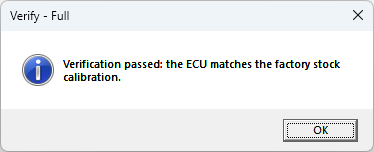
The ECU matches its calibration.
Failed
The ECU doesn't match its calibration. Do not start the engine. Send the read-back to Nizpro so they can check the state of the calibration.
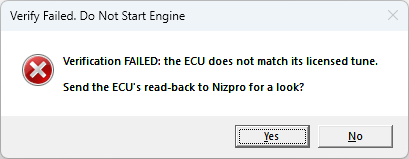
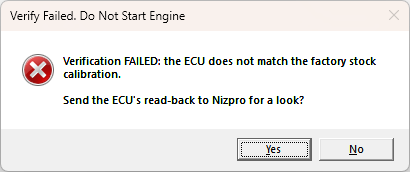
The result asks whether to send the ECU's read-back file to Nizpro:
- Yes opens Read and Submit to Nizpro, the same as a diagnostic read. Add a note if you want, then press Read & Submit. See Send a diagnostic read, below.
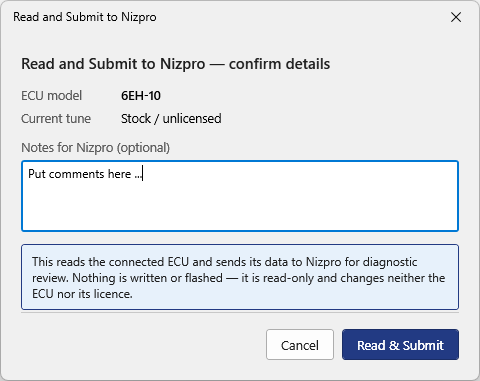
Read and Submit to Nizpro opens with the ECU's details. - Choose No if you don't want to send it.
A failed Verify - Full doesn't lock the ECU. It can still be written as usual.
Unable to verify
The check couldn't produce a result because the ECU didn't answer. This usually means the harness is loose or the ECU isn't powered.
If the ECU doesn't answer, ECU identity not confirmed appears. It shows the ECU model detected earlier, and that no model number came back this time.
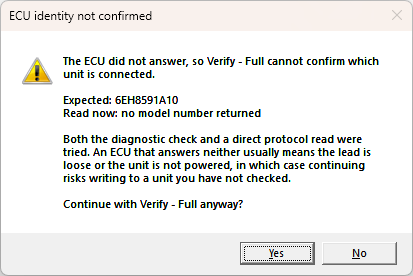
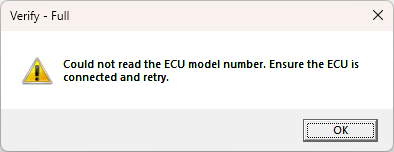
Choose No, check the harness and the ECU's power, then run Verify - Full again. If you choose Yes and the ECU still isn't connected, Verify - Full stops with this message:
If you've sent Nizpro a read-back after a failed verification, contact sales@nizpromarine.com to discuss it further.
Perform RC Reset
Use Perform RC Reset if your digital controls have lost their pairing with the ECU. This can happen if the ECU is unplugged from the engine while the power is on, or after an ECU flash.
The reset clears the Digital Electronic Control pairing on the ECU, so the controls can be paired with it again. The app's messages call it Remote-Control Reset.
It's a Yamaha diagnostic process that resets the pairing on the ECU only. It doesn't change the tune, use a credit, or affect anything else in NCDS. It needs a Nizpro programmer and a detected ECU, so it's for DIY and dealer accounts.
- Detect the ECU. See Detecting an ECU. As for a flash, the supply voltage must be in range, 12 to 14 V.
- Open Tools and choose Perform RC Reset.
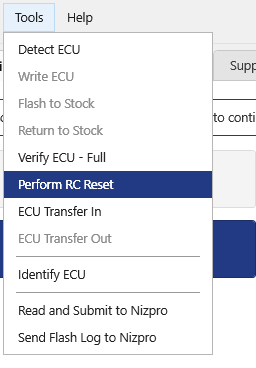
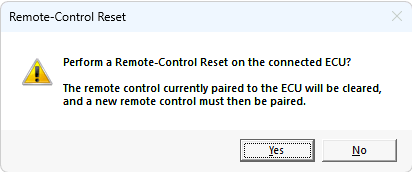
Perform RC Reset in the Tools menu. - The confirmation asks Perform a Remote-Control Reset on the connected ECU? It warns that the remote control currently paired to the ECU will be cleared, and a new remote control must then be paired. Click Yes to continue, or No to stop.
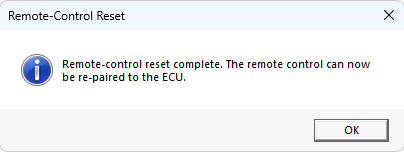
Perform a Remote-Control Reset on the connected ECU? - When the reset is done, you'll see Remote-control reset complete. The remote control can now be re-paired to the ECU. Click OK to return to the Main tab.
Remote-control reset complete.
ECUs that support RC Reset
A range such as 6AW-02 to 12 covers 6AW-02 up to 6AW-12. "Onwards" covers that code and every later one.
| ECU Codes | ECU Code Ranges | Model Names | RC Reset Supported |
|---|---|---|---|
| 6AW | 6AW-02 to 12 | F(L)350A | Y |
| 6BR | 6BR-00 onwards | F(L)250B | Y |
| 6CL, 6CG, 6CE | 6CL-00 to 14, 6CG-00 to 14, 6CE-00 to 04 | F(L)225F, F(L)250D, F(L)300B | Y |
| 6AW | 6AW-21 to 31 | F(L)350A | Y |
| 6DV | 6DV-00 to 01 | F(L)200G | Y |
| 6AW | 6AW-51 onwards | F(L)350A | Y |
| 6CL, 6CG, 6CE, 6JD | 6CL-20 onwards, 6CG-20 onwards, 6CE-10 onwards, 6JD-00 onwards | F(L)225F, F(L)250D, F(L)300B, F(L)300D | Y |
| 6DV | 6DV-10 | F(L)200G | Y |
| 6HP, 6HS, 6DV | 6HP-00 onwards, 6HS-00 onwards, 6DV-20 onwards | F(L)150G, F(L)175C, F(L)200G | Y |
| 6GT, 6GR | 6GT-00 onwards, 6GR-00 onwards | F(L)375A, F(L)425A | Y |
| 6KK, 6KD, 6KA | 6KK-00/10, 6KD-00/10, 6KA-00 | F(L)225J, F(L)250N, F(L)250P, F(L)300F, F(L)300G | Y |
| 6LB, 6KN | 6LB-00 onwards, 6KN-00 onwards | F(L)400A, F(L)450A | Y |
| 6KK, 6KD, 6KA | 6KK-01/11, 6KD-01/11, 6KA-01 onwards | F(L)225J, F(L)250N, F(L)250P, F(L)300F, F(L)300G | Y |
| 6LM, 6LK, 6LH | 6LM-00 onwards, 6LK-00 onwards, 6LH-00 onwards | F(L)150H, F(L)150J, F(L)175D, F(L)175F, F(L)200N, F(L)200P | Y |
| 6ML | 6ML-00 onwards | F(L)350B | Y |
If the ECU doesn't support RC Reset
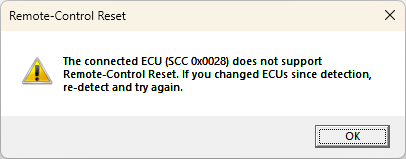
Perform RC Reset is in the Tools menu for any detected ECU. If the ECU isn't on the supported list, NCDS shows this message instead and doesn't attempt the reset. If you've changed ECUs since you detected, detect the ECU again and retry.
What you can send to Nizpro
There are two things you can choose to send to Nizpro. Both are in the Tools menu only.
- A diagnostic read (Read and Submit to Nizpro): reads a connected ECU and sends its data to Nizpro for review. It needs a Nizpro programmer and a detected ECU, so it's for DIY and dealer accounts.
- The flash log (Send Flash Log to Nizpro): sends the log of ECU writes made on this computer. No ECU or programmer needs to be connected.
Three other sends happen as part of other tasks. They're covered in their own guides:
- An ECU the software doesn't recognise. You identify it and its data is sent to Nizpro so support can be added. See Detecting an ECU.
- A legacy Woolich / WRT ECU. Its data is sent to Nizpro so they can check its legacy licence. See Detecting an ECU.
- A write that doesn't verify. If the retry also fails, the ECU's data is sent to Nizpro automatically. See Flashing a tune.
The desktop client confirms each send. Nizpro will attempt to contact you by email. You can also contact Nizpro directly at sales@nizpromarine.com.
Send a diagnostic read
A diagnostic read sends a full read of a connected ECU to Nizpro for review, for example as a health check. It only reads. Nothing is written, it changes neither the ECU nor its licence, and it uses no credit.
You can send any detected ECU, licensed or stock. A stock ECU is sent the same way, for example if you're not sure what calibration it carries. Dealers can send a customer's ECU.
Before you start, connect the programmer and the ECU and check the Device status light is green. The command acts on the ECU you last detected, so if you connect a different ECU, run Detect ECU again before you send.
- Detect the ECU. See Detecting an ECU.
- Open Tools and choose Read and Submit to Nizpro. It's greyed until an ECU has been detected.
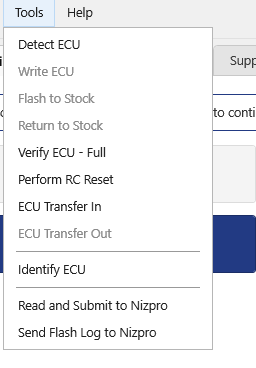
Tools menu with an ECU detected. - Read and Submit to Nizpro opens. Check the ECU model and Current tune. For a stock ECU, Current tune shows Stock / unlicensed. You can add a note in Notes for Nizpro (optional), for example what you've noticed about the engine. Press Read & Submit, or Cancel to stop.
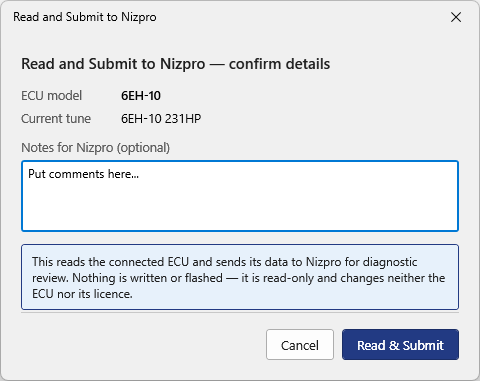
Confirm details for a licensed ECU. 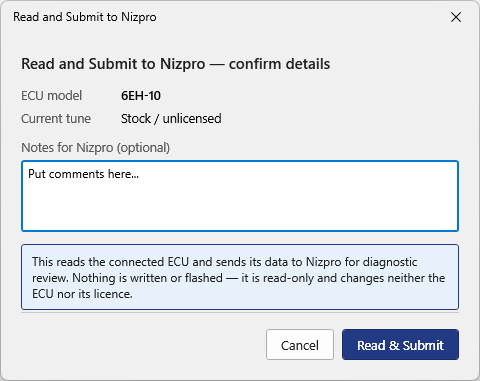
A stock ECU shows Stock / unlicensed. - The ECU is read and sent to Nizpro. Don't disconnect the programmer or the ECU until it finishes.
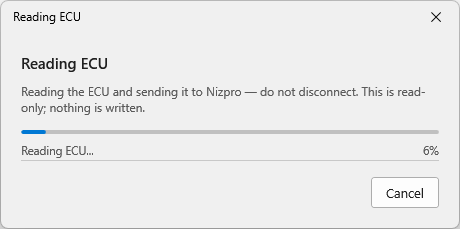
Reading the ECU and sending it to Nizpro. Do not disconnect. - A message confirms the send. Press OK.
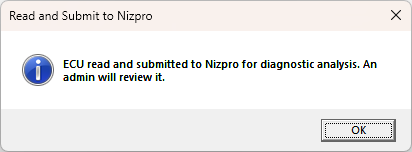
ECU read and submitted to Nizpro for diagnostic analysis. An admin will review it.
Send your flash log
The desktop client keeps a log of the ECU writes made on this computer. Each computer keeps its own log, so send it from the computer that did the writes.
You don't need to send it routinely. Nizpro will tell you if they need it. No ECU or programmer needs to be connected.
- Open Tools and choose Send Flash Log to Nizpro. It's available with nothing connected or detected.
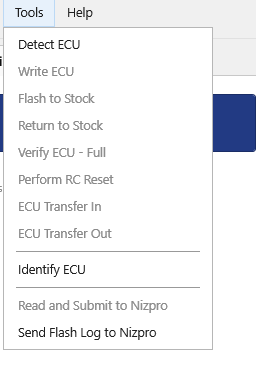
Tools menu with no ECU detected. - Press Yes to send the log, or No to stop.
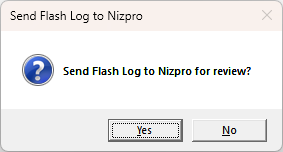
Send Flash Log to Nizpro for review? - A message confirms the log was sent and gives a reference for the send. If you contact Nizpro about the log, quote the reference if you can. A screenshot of the message is fine. Press OK.
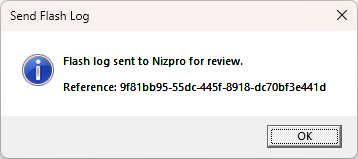
Flash log sent to Nizpro for review.
If there's nothing new to send
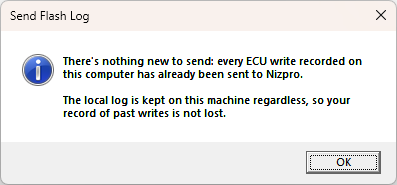
Each send includes only the writes that haven't been sent before. If every write on this computer has already been sent, you'll see this message instead. The log stays on the computer either way, so your record of past writes isn't lost.