Flash to Stock and Return to Stock
Two ways to put a licensed ECU back to stock, and how they differ.
In this guide
Which one to use
Both commands write the factory stock calibration to the ECU. The difference is what happens to the licence.
| Flash to Stock | Return to Stock | |
|---|---|---|
| Licence | Kept | Revoked |
| Licence groups | Unchanged | All removed |
| Credits | None used | None used, and none returned |
| Ownership slot | Still used | Freed. The ECU is removed from your account |
| Flashing a tune later | Free for any tune in the ECU's licence groups | Needs a new credit, like any unlicensed ECU |
| Where to find it | Detected ECU panel, or the Tools menu | My ECUs toolbar, or the Tools menu |
| Use it for | Back-to-back testing and validation | Removing the tune permanently, when you've finished with the ECU or are selling the engine without the tune |
Before you start
- Both commands write to the ECU, so they need a Nizpro programmer and are available to DIY and dealer accounts. If you don't have a programmer, take the ECU to a Nizpro dealer.
- Detect the ECU first. Both commands act only on the ECU that's connected and detected. See Detecting an ECU.
- Your programmer needs to be ready: a green readiness light with the voltage in range. See the Desktop client interface overview.
- The ECU must be licensed. An unlicensed ECU is already at factory stock, so neither command applies to it.
Flash to Stock (FTS)
Flash to Stock puts the stock calibration on the ECU and keeps the licence, so you can flash a tune back on later at no cost.
- Detect the ECU, then press Flash to Stock on the Detected ECU panel. You can also use Tools > Flash to Stock.
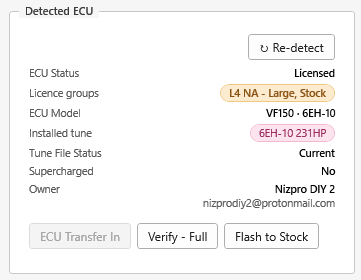
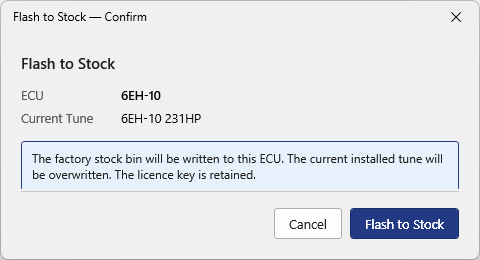
The Detected ECU panel for a licensed ECU. - The Flash to Stock confirmation shows the ECU and its current tune: "The factory stock bin will be written to this ECU. The current installed tune will be overwritten. The licence key is retained." Press Flash to Stock to continue, or Cancel to stop without writing anything.
Flash to Stock: the licence key is retained. - The Before Writing list appears. Read each item and tick I acknowledge the above. The write can't start until every box is ticked. The Flash Waiver is always listed. If the current tune is supercharged, a second waiver is listed too (see Supercharged tunes). Press Write ECU.
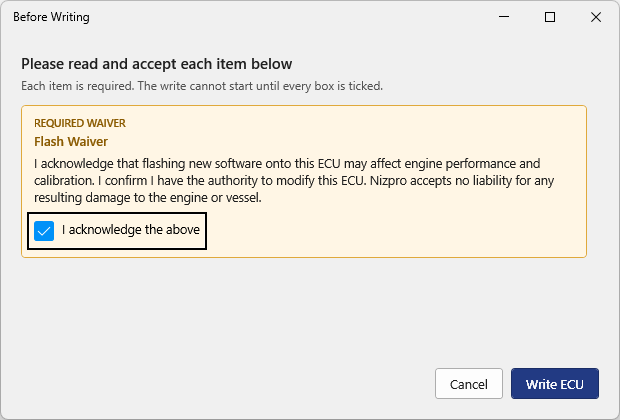
Please read and accept each item below. - The ECU is written and verified, which takes several minutes. Don't disconnect the programmer or the ECU while it runs.
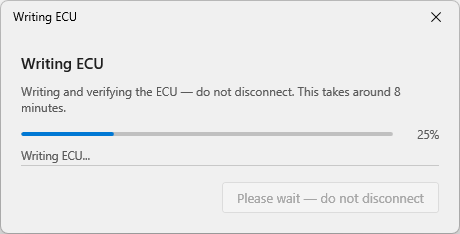
Writing and verifying the ECU, do not disconnect. - The Write Summary shows the result. The installed tune now reads Stock, the ECU is still Licensed, and its coverage is unchanged. Press OK to finish.
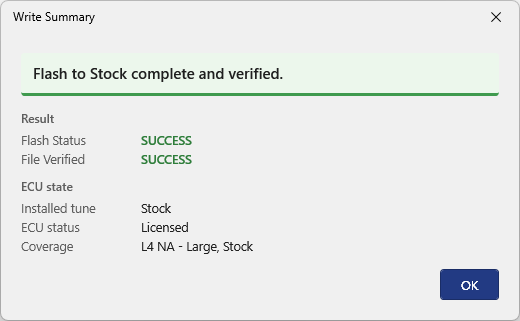
Flash to Stock complete and verified.
The programmer's display now shows TUNE: Stock, meaning the ECU is licensed and on its stock calibration. See Setting up your programmer.
Flashing a tune back on
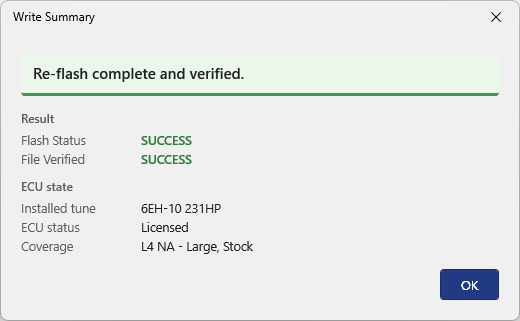
When you're ready, use Write ECU and pick a tune from the ECU's licence groups. It's a free re-flash and the coverage stays the same. A tune from a group the ECU isn't licensed for is a cross-flash and uses a credit. See Flashing a tune.
Return to Stock (RTS)
Return to Stock puts the ECU back to genuine factory condition and revokes its licence. All of its licence groups are removed, and the ECU is removed from your account, which frees a slot under your ownership limit.
Return to Stock can't be undone. If you want to flash a tune onto the ECU afterwards, you'll need a new credit. If you only need the engine on stock for a while, use Flash to Stock.
Selling the engine and want the new owner to keep the tune? Transfer the ECU instead. See Transferring ECU ownership.
- Detect the ECU. Return to Stock only works on the ECU that's connected and detected.
- Open the My ECUs tab. The detected ECU is at the top of the list, marked detected. Press Return to Stock. You can also use Tools > Return to Stock.
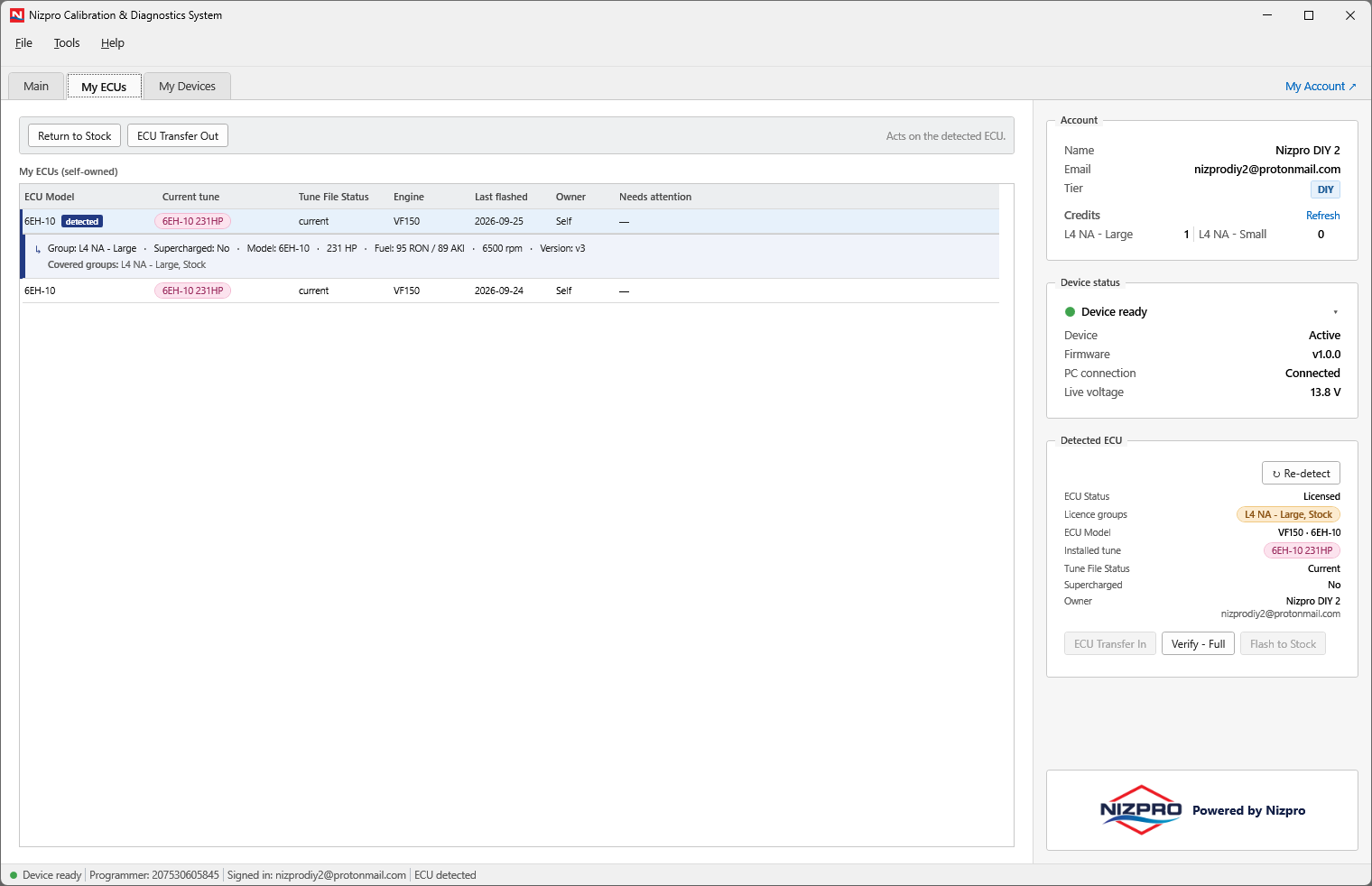
My ECUs. The toolbar acts on the detected ECU. - The Return to Stock confirmation shows the ECU and its current tune, and reminds you that you will lose the licence key for this ECU. Press Return to Stock to continue, or Cancel to stop without writing anything.
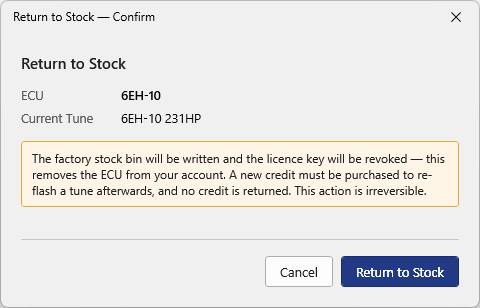
Return to Stock: the licence key will be revoked. - Accept the Before Writing list and press Write ECU, as for Flash to Stock.
- Wait while the ECU is written and verified. Don't disconnect the programmer or the ECU while it runs.
- The Write Summary shows the result. The installed tune reads Stock, the ECU is Unlicensed, and it has no coverage. Press OK to finish.
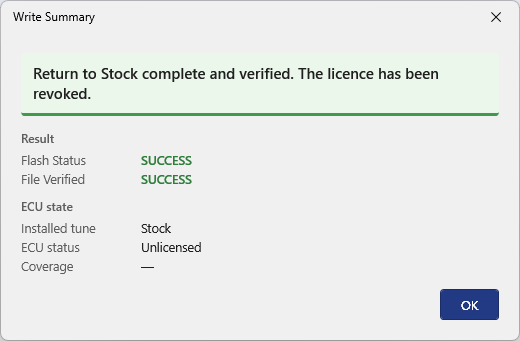
Return to Stock complete and verified. The licence has been revoked.
From now on the ECU detects as unlicensed, and the programmer's display shows no TUNE line. Flashing a tune onto it is a New Flash and uses a credit. See Flashing a tune.
Supercharged tunes
Stock isn't a supercharged calibration. If the ECU's current tune is supercharged, the Before Writing list for either command also includes the Supercharger Removal Waiver. By ticking it, you confirm the engine will be returned to its stock mechanical configuration, with the supercharger removed, before it's run. Running a non-supercharged calibration with supercharger components installed will cause catastrophic engine damage. See Flashing a tune.
If the write does not verify
Flash to Stock and Return to Stock check themselves in the same way as every other write, as described in Flashing a tune. If the read-back doesn't match, the write stops and the Verification Failed dialog appears. It warns you not to start the engine and asks you to check the battery and the connections before choosing whether to write it again. Choose Yes to retry. A clean re-write usually verifies.
If the retry also fails, the Write Summary shows the failed result and the ECU's data is sent to Nizpro automatically. The ECU is locked and marked as pending Nizpro until Nizpro has reviewed it and restored it to its correct state. Don't start the engine in the meantime.
When FTS and RTS aren't available
- The ECU isn't licensed: Flash to Stock is greyed, and the ECU isn't in My ECUs, so Return to Stock doesn't apply. It's already at factory stock.
- The ECU is already on Stock after a Flash to Stock: Flash to Stock is greyed until another tune is written. Return to Stock is still available.
- Another account owns the ECU: both commands are unavailable. Transfer the ECU onto your account first. See Transferring ECU ownership.
- A review with Nizpro is open on the ECU: both commands are greyed until Nizpro resolves it. Press Re-detect on the Detected ECU panel to check again later.
An ECU model that's no longer supported
Nizpro sometimes stops supporting an ECU model for tuning. The ECU still detects and shows its installed tune as normal, but the Main tab shows "Action blocked: This ECU model is no longer supported for tuning. Contact Nizpro." and Write ECU is greyed.

Flash to Stock is greyed on the Detected ECU panel as well.
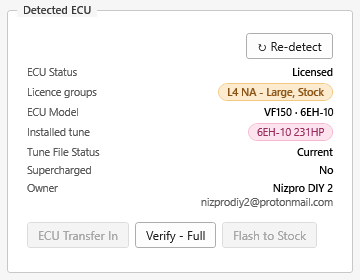
Return to Stock is still available from My ECUs. It's the one write allowed on a model that's no longer supported, so you can remove the licence and free the ECU's slot. ECU Transfer Out is also still available if you're passing the engine on. See Transferring ECU ownership.

To discuss options for the ECU, contact Nizpro at sales@nizpromarine.com.